Integration & setup
This book guides you through the process of setting up your Adhese integration alongside presenting the various capabilities of Adhese that can be integrated.
- Intro
- Integration methods
- Typescript Web SDK
- Prebid
- Request API: Headsup endpoint
- Request API: Stack endpoint
- Request API: JSON endpoint
- Request API: AD endpoint
- JSON endpoint: full response structure
- Data mapping
- Adserver Features
- Automated image resizing
- Video Content Cache
- IP override for server-side connections
- CPM Priority Sorting
- Reference
- OIDC Federation Setup Guide (SSO)
Intro
Adhese Gateway and Direct Ad Server
The Gateway and Ad Server operate entirely server-side, ensuring that client implementations remain as straightforward as possible and preventing the exposure of business rules and configuration. This allows for straightforward integration across a wide range of platforms and devices, eliminating the need for complex development processes.
Once implemented, no further client-side changes are required. Publishers can use a centralised web application to enable new demand sources, add or modify the data they share with their partners, and set business rules, multipliers and exceptions. These changes are executed instantly, without any need for intervention from web administrators or application developers.
The implementation for using Gateway or Direct Ad Server technologies is the same. Below are the links to the various repositories with examples and code.
Libraries & SDKs
Adhese has a TypeScript-based SDK for web integrations. More information can be found here: https://documentation.adhese.eu/books/integration-setup/page/typescript-web-sdk
Prebid Compatible
Gateway can be used as a bidder for both Prebid.js and Prebid Server, and has been incorporated into various custom wrappers created by publishers and SSPs.
More information can be found here: https://documentation.adhese.eu/books/integration-setup/page/prebid
API implementation
Any publisher can implement their Adhese instance as a pure API, calling the ad server endpoints directly from their mobile app, CMS system or connected TV app. They receive campaigns for multiple placements in one request, which can be visualised according to device and context.
Documentation on the different Request API endpoints can be found here: https://documentation.adhese.eu/books/integration-setup/chapter/ad-delivery-integration-methods
Migrating your old ad server to Adhese
Depending on the customer's requirements, migration from an existing ad server to Adhese can be achieved in several ways.
One approach is to focus on getting the Adhese tags up and running. Based on the inventory setup, all tags are made available. Existing tags from the legacy ad server can be implemented in Adhese as standard campaigns that serve the legacy tags as third-party ads. To ensure continuity, 100% of the inventory is sent to these campaigns. New campaigns booked in Adhese can take priority over the legacy tags if required. Eventually, the legacy campaigns will stop running, as no further traffic is needed. Any new or updated campaigns will be booked directly in Adhese.
Another approach is to postpone tagging and start booking new campaigns in Adhese. Adhese tags or third-party tags can then be uploaded to the legacy ad server. This can be done on a per-campaign basis or you can send 100% of the traffic to Adhese campaigns in the legacy system. As the tags are distributed across the client's network, the same Adhese creatives will be displayed, either by being called directly through the Adhese tags or by being passed through the tags of the legacy ad server.
Integration methods
In this chapter, you will find the different ways to integrate with the Adhese ad server and Gateway, which will allow you to request and display ads across channels.
Both components are integrated in the same way. The difference lies in the internal configuration and demand orchestration - not in the way requests are made.
All integrations are secure by design and aligned with Adhese’s privacy-first approach. The platform operates without third-party cookies and relies on server-side processing of first-party data to deliver targeted advertising.
Typescript Web SDK
The Adhese TypeScript SDK simplifies ad integration across web environments by handling the underlying request and response logic, allowing you to implement ad placements without dealing with low-level API calls.
At the same time, the SDK remains flexible: it allows you to plug in custom logic where needed, giving you full control for more advanced or tailored integrations.
The getting started guide walks you through:
- Installing the SDK
- Initialising a client
- Making ad requests
- Rendering ad responses
The full documentation can be found on https://adhese.github.io/sdk_typescript/
Integration options
The SDK supports multiple integration approaches, depending on your environment:
NPM
Install the SDK via NPM and integrate it into modern JavaScript or TypeScript projects.
React
Use the SDK within React applications to manage ad slots and lifecycle in a component-based way.
Standalone JS script
Include the SDK as a standalone script for simple integrations without a build step. Ideal for quick setups or environments where bundling is not available.
The standalone script could be hosted and maintained by the Adhese team. Contact support if you wish to discuss this option in more detail.
Key Features
Slot Management
Slots are the fundamental units for ad placement. The SDK supports three slot registration methods:
- Automatic DOM detection - scan for elements with
adunitclass - Pre-initialization slots - declare slots before page load for early ad fetching
- Manual registration - dynamically add slots via API
Additional slot capabilities include:
- Device-specific format selection (responsive ads via media queries)
- Lazy loading with viewport detection
- Dual render modes (iframe or inline)
- Custom setup hooks for advanced control
Configuration & Parameters
At initialization, you can set:
- Account ID (required)
- Targeting parameters (2-character prefixes matching your adserver configuration)
- URL and referrer logging preferences
- Lazy loading settings
- Device type detection rules (customizable media queries)
Event System
Subscribe to lifecycle events:
- Slot lifecycle (add, remove, dispose)
- Request/response events
- Consent & parameter changes
- Debug mode toggles
- Impressions & viewable tracking
Consent Management
Supports regulatory compliance via:
- Binary consent (yes/no)
- TCF API v2 integration
React Integration
Dedicated React SDK provides:
AdheseProvidercontext wrapperuseAdhesehook for instance accessuseAdheseSlothook for slot creationAdheseSlotcomponent with JSX rendering support- Placeholder support during ad loading
SDK Repository
The SDK is actively maintained on GitHub and publicly available: https://github.com/adhese/sdk_typescript
Prebid
Prebid is a free and fully open source header bidding solution available to any publisher, dedicated to header bidding in the ad tech industry.
Header bidding allows publishers to create a short delay in ad serving to obtain bids from multiple demand partners before deciding on which ad to display, enabling competitive pricing and higher revenue.
More information on Prebid | Prebid.js Bidder | Prebid Server Bidder
How do Adhese and prebid work together
When a publisher implements Adhese through Prebid, they're participating in a header bidding auction where multiple demand partners (including Adhese) compete to deliver ads. Here's how the process works:
Auction Initiation
When a page loads, Prebid sends simultaneous bid requests to multiple bidders - including Adhese - rather than sequential requests. This concurrent approach is one of Prebid's key features for managing latency. All bidders (including Adhese) receive their request at roughly the same time.
Adhese's Role in the Auction
Adhese acts as a bidder/SSP within Prebid's ecosystem. Through the Prebid adapter, Adhese receives ad requests and returns competitive bids and creatives. The adapter translates Prebid's standardized request format into Adhese's API requirements and vice versa.
Bid Submission & Timeout Management
Publishers set a timeout value (typically 1-3 seconds) that determines how long Prebid waits for responses. Adhese must return its bid within this window. If Adhese doesn't respond in time, Prebid excludes it from that auction round. This timeout mechanism prevents slow bidders from degrading page performance.
Ad Selection
After all bidders respond, Prebid passes the winning bid to the publisher's ad server. If Adhese wins, its creative is selected and delivered, leading to an impression in Adhese.
Targeting & Parameters
Both Prebid and Adhese support custom targeting. Publishers can pass first-party data (like content categories, user segments, or location) through both systems, giving Adhese context for more accurate bidding.
Impression Tracking
After an ad is selected and rendered, Adhese can track impressions and viewability through Prebid's event system, feeding performance data back to their platform.
Bid Configuration Params
Pbjs param name | Scope | Description | Example | Type |
|---|---|---|---|---|
| required | Adhese account name |
|
|
| required | Adhese location URL |
|
|
| required | Adhese format code TAG |
|
|
| optional | (PBJS only) Custom target data |
|
|
| optional | (PBS only) Custom target data |
|
|
Request API: Headsup endpoint
The headsup endpoint returns all the materials for the campaigns running on the requested DOOH position.
It can be used by the DOOH screens to retrieve and cache all materials at the beginning of the day to avoid delays by having to download materials during the day.
To ensure that the assets are included in the response, the Use in heads-up file setting must be enabled at format level. This action can be performed by all admin users in the Adhese UI.
https://headsup-[customer].adhese.org/api/headsup/download-list/sl[positioncode]| Parameters | Value | Required |
| customer | The name of your Adhese account | Yes |
| position code | The code of the position you wish to request: [location code][optional position code]-[format code]. This value is always prefixed by 'sl'. | Yes |
Response
The JSON response consists of a "media" array that may be empty or populated with multiple ad objects, depending on the number of active campaigns. The structure of an ad object is fixed and can not be customized.
The ID and URL from which to download the file is identical and is also available in the stack endpoint that will be used to download DOOH playlists during the day.
Example
{
    "media":[
        {
            "ad":{
                "id":"https://pool-demo.adhese.com/pool/lib/562_2nd_1.mp4",
                "mime":"video/mp4",
                "curl":"https://pool-demo.adhese.com/pool/lib/562_2nd_1.mp4",
                "filesize": 15470592,
                "checksum":"071f717962db99cc137d138696d33209f2e4818d42a54f70dfa6606eeb1b640b"
            }
        },
        {
            "ad":{
                "id":"https://pool-demo.adhese.com/pool/lib/560_2nd_1.mp4",
                "mime":"video/mp4",
                "curl":"https://pool-demo.adhese.com/pool/lib/560_2nd_1.mp4",
                "filesize": 15470592,
                "checksum":"4e78745a33518ff22c1c9f39852a49c1c0fadd0adf722e3394ad1215d5e5ff5b"
            }
        },
        {
            "ad":{
                "id":"https://pool-demo.adhese.com/pool/lib/561_2nd_1.mp4",
                "mime":"video/mp4",
                "curl":"https://pool-demo.adhese.com/pool/lib/561_2nd_1.mp4",
                "filesize": 6582272,
                "checksum":"64d2eab6d51b208c0cec3fc4d64c53381e5d41ae2a1d4c5b7704b1818bdb6158"
            }
        }
    ]
}Request API: Stack endpoint
The stack endpoint allows you to request one position for which Adhese will return a list of ads. There are 2 versions:
- /m/stack/: returns a limited amount of ads
- /e/stack/: returns an unlimited1 amount of ads2
1 The adserver rules still apply and will influence which campaigns are part of the response. Not all booked campaigns are necessarily part of the returned array.
2 The /e/stack/ endpoint must be enabled by Adhese support before it becomes available
m/stack request
https://ads-[customer].adhese.com/m/stack/sl[positioncode]/[target prefix][target value]?max_ads=[amount]| Parameters | Value | Required |
| customer | The name of your Adhese account | Yes |
| position code | The code of the position you wish to request is [location code]-[format code]. This value is always prefixed by 'sl'. | Yes |
| custom target | Target data can be provided by adding a prefix followed by a value. Multiple values can be added by separating them with a ; |
No |
| max_ads1 | The maximum number of ads you wish to request | Yes |
1 A configuration on the adserver can be activated to ensure the max_ads value never exceeds a specific limit. When the parameter is left empty, the configured limit will be used instead.
e/stack request
https://ads-[customer].adhese.com/e/stack/sl[positioncode]/[target prefix][target value]| Parameters | Value | Required |
| customer | The name of your Adhese account | Yes |
| position code | The code of the position you wish to request is [location code]-[format code]. This value is always prefixed by 'sl'. | Yes |
| custom target | Target data can be provided by adding a prefix followed by a value. Multiple values can be added by separating them with a ; |
No |
Stack response
The response contains JSON code: an ads array that will either be empty or populated with one or more objects, depending on the number of active campaigns.
The structure of the objects within the array is determined by the advar template used when setting up the creatives.
Example response
{
    "ads":[
        {
            "id":"https://pool-demo.adhese.com/pool/lib/562_2nd_1.mp4",
            "dur":28.07,
            "prio":15,
            "booking_prio":0,
            "publisher":"1",
            "key":"",
            "proofOfPlay":"https://ads-demo.adhese.com/track/3474/sl357/tlnone/piplayer_id/A2?1746011926824",
            "error":"https://ads-demo.adhese.com/track/3474-PLAY_ERROR_[ERRORCODE]/sl357/tlnone/piplayer_id/A2/?1746011926824"
        },
        {
            "id":"https://pool-demo.adhese.com/pool/lib/561_2nd_1.mp4",
            "dur":11.45,
            "prio":15,
            "booking_prio":0,
            "publisher":"1",
            "key":"",
            "proofOfPlay":"https://ads-demo.adhese.com/track/3444/sl357/tlnone/piplayer_id/A2?1746011926824",
            "error":"https://ads-demo.adhese.com/track/3444-PLAY_ERROR_[ERRORCODE]/sl357/tlnone/piplayer_id/A2/?1746011926824"
        },
        {
            "id":"https://pool-demo.adhese.com/pool/lib/560_2nd_1.mp4",
            "dur":18.85,
            "prio":15,
            "booking_prio":0,
            "publisher":"1",
            "key":"",
            "proofOfPlay":"https://ads-demo.adhese.com/track/3455/sl357/tlnone/piplayer_id/A2?1746011926824",
            "error":"https://ads-demo.adhese.com/track/3455-PLAY_ERROR_[ERRORCODE]/sl357/tlnone/piplayer_id/A2/?1746011926824"
        }
    ]
}
Common response Fields
| Field | Description |
| id | Creative URL |
| dur | Duration in milliseconds |
| proofOfPlay | Tracking URL after playback |
| error | Tracking URL for playback errors |
Sorting the returned list
The order in which the ads array is populated can be be configured by using the sequence property in the advar template.
As value you can use a number that is filled in through the advar form, or use one of the Adhese macro's that return an ID.
When the sequence property is added and given a value, the adserver will sort the available ads based on its value. In the example below we use the CREATIVE ID to sort the array from lowest ID to highest ID.
"sequence": <ADHESE_LIB_ID>The sequence property is only used by the adserver and will be removed before the response is returned
Request API: JSON endpoint
The JSON endpoint is the foundation of every display integration with Adhese. It gives you direct access to the ad server and Gateway without an SDK or library: you build the request, and Adhese returns the ads as JSON. Any environment that can send an HTTPS request and parse JSON can use it. A backend service, a CMS, a mobile app, ...
The Typescript Web SDK and the Prebid adapter use this same endpoint under the hood. If you use one of those, you do not need this page for implementation, but it remains the reference for what actually happens under the hood.
The API is public and requires no authentication and cookies are not required for an integration to work.
POST request
Host
Each Adhese account has its own endpoint. The default pattern is:
https://ads-[account].adhese.com/json/Request body
The POST body is a JSON object with up to three top-level properties:
{
    "slots": [
        {
            "slotname": "some_slot"
        },
        ...
    ],
    "parameters": {
        "kw": [
        "cheese",
        "wine"
        ],
        ...
    },
    "user": {
      "ext": {
        "eids": []
      }
    }
}| Property | Required | Purpose |
|---|---|---|
slots |
Yes | The ad placements you are requesting |
parameters |
No | Request-level targeting data (page, user, context) |
user |
No | External user IDs for downstream buyers (open market) |
slots
An array of slot objects — one per ad placement needed for the current page or application state. At least one slot is required.
Each slot object contains at minimum a slotname: the unique identifier of the placement as configured in your Adhese account. Campaigns are targeted against these names.
"slots": [
    { "slotname": "some_slot" },
    { "slotname": "another_slot" }
]
Each slotname may appear only once per request. Duplicates cause the request to be rejected with status 442.
parameters
An object of targeting attributes describing the page, user, or context. Keys are fixed two-character codes defined in your Adhese account; values are always arrays of strings.
All parameters are optional — omit a key entirely, or send an empty array, when there is nothing to pass.
"parameters": {
    "kw": ["cheese", "wine"],
    "mi": ["ABCDEF123456"]
}
In this example, kw carries search keywords and mi a member ID. Reserved parameter codes are listed on Request target parameters.
Slot-level parameters
A slot object can carry its own parameters property with the same structure. For each slot, request-level and slot-level parameters are merged. Use this for attributes that differ per placement, such as position on the page:
"slots": [
    {
        "slotname": "some_slot",
        "parameters": { "ps": ["top"] }
    },
    {
        "slotname": "another_slot",
        "parameters": { "ps": ["bottom"] }
    }
]
user
Reserved for passing identifiers from external ID providers to buyers further down the chain, mainly in an open-market context:
"user": {
    "ext": {
        "eids": []
    }
}
If you think you need this, contact Adhese Support before implementing.
Complete request example
{
    "slots": [
        { "slotname": "homepage_banner" },
        { "slotname": "homepage_rectangle_top" },
        { "slotname": "homepage_rectangle_bottom" },
        {
            "slotname": "homepage_halfpage",
            "parameters": { "ps": ["right"] }
        }
    ],
    "parameters": {
        "id": ["1234567890ABCD"],
        "ct": ["computers", "laptops"],
        "kw": ["cheese", "wine"]
    }
}
Here id is a user ID, ct product categories, and kw search keywords.
GET request
The GET version of the ad request contains the same information as the POST version with one limitation:
slot level parameters are not supported.
Example request
https://ads-[account].adhese.com/json/sl_sdk_example_-leaderboard/ctsports;soccer?t=1784033344461| Section | Description |
| https://ads-[account].adhese.com | The domain is either the default ads domain for your account or a configured first-party domain. More info on first-party domains can be found here. |
| /json/ | Fixed path segment selecting the JSON endpoint |
| /sl[location code]-[format code]/ | This section can be added more than once. Each placement starts with the prefix 'sl', followed by the full slot code. |
|
/ctsports;soccer/ |
This section can be added more than once. Each target section starts with its predefined prefix and is followed by either one value or a list of values separated by ';'. |
|
?t=[timestamp] |
A timestamp to avoid caching issues |
Response codes
| Code | Name | Description |
|---|---|---|
200 |
OK | Body contains an array of ads. If no ads are available, the array is empty — an empty array is a successful response, not an error. |
442 |
Duplicate slots | One or more slotname values appear more than once. Header x-adhese-bad-request lists the duplicates. |
454 |
No slots | The request body contains no slots. Header x-adhese-bad-request contains slots cannot be empty. |
500 |
Internal server error | If this was a debug request, check the debug log; otherwise contact Adhese Support. |
When handling errors programmatically, read the x-adhese-bad-request response header for the specific message.
Response object
A successful response contains a JSON array with one object per delivered ad. The objects contain many attributes; the complete field reference lives at General JSON response structure.
The most important attributes required for custom integrations are:
| Attribute | Description |
|---|---|
slotName |
The slot this ad belongs to. Use it as the key to match responses to the slots in your request when requesting multiple slots at once. |
tag |
The ad markup, returned as a string. For display ads this is typically an HTML fragment to insert into the slot's container. For video/audio it is a VAST-compliant XML document; for native ads it is a JSON object (delivered as a string that your application must parse). |
width |
Width of the ad container in pixels, required for correct display. |
height |
Height of the ad container in pixels, required for correct display. |
trackedImpressionCounter |
Unique URL to call when the ad is added to the page, even if not yet visible. Registers an IAB paid impression. Fire-and-forget: the call can be asynchronous and the response ignored. |
viewableImpressionCounter |
Unique URL to call when the ad has been at least 50% in the viewport for at least one second. Registers an IAB viewable impression. Fire-and-forget. |
clickTag |
Unique URL that counts a click and redirects the user to the ad's landing page. Use it as the href wrapping the creative. In applications without links, the URL can be called directly to register the click, ignoring the response. |
Trimmed response example
[
    {
        "slotName": "homepage_banner",
        "adFormat": "714x224",
        "width": "714",
        "height": "224",
        "tag": "<div>…ad markup…</div>",
        "trackedImpressionCounter": "https://ads-[account].adhese.com/track/…",
        "viewableImpressionCounter": "https://ads-[account].adhese.com/track/…-Adhese_IABview/…",
        "clickTag": "https://ads-[account].adhese.com/raylene/…/UR",
        "orderName": "Example Campaign",
        "creativeName": "Example Creative",
        "extension": {
            "mediaType": "banner",
            "prebid": {
                "cpm": { "amount": "13.047", "currency": "EUR" }
            }
        }
    }
]
Rendering and tracking workflow
For each ad in the response, a correct display integration does the following, in order:
- Match the ad to its container using
slotName. - Render the
tagmarkup inside a container sized bywidth×height. - Call
trackedImpressionCounterthe moment the ad is added to the page. - Observe viewability (e.g. with an Intersection Observer) and call
viewableImpressionCounteronce the ad has been ≥50% in view for ≥1 second. - Wrap the creative's landing-page link in the
clickTagURL so clicks are counted and redirected.
Skipping step 3 or 4 - or executing them at the wrong time - is the most common cause of reporting discrepancies between Adhese and third-party measurement.
Event tracking
Beyond impressions and clicks, you can register custom events (e.g. video quartiles, expansions, interactions) by constructing tracking URLs from the response data.
Building a custom event tracking URL
https://[ad domain]/track-[event label]/[response.id]/sl[response.slotID]/II[impressionID]event label: a name of your choosing for the event; it will appear in reportingresponse.id,response.slotID: taken from the ad's response objectimpressionID: this ID is not provided through a specific object in the response, but can be found in the provided tracking URL's such as the trackedImpressionCounter. This value is prefixed by the codeII
The easiest way to build a custom tracking URL is to take the viewableImpressionCounter URL and replacing the Adhese-IABview label with a custom one.
Request API: AD endpoint
The AD endpoint is used for integrations that can't parse a JSON response and require the response in a specific markup instead. It is typically used for video and audio setups, where ads are requested by media players and follow the VAST protocol in XML.
The API is public and requires no authentication and cookies are not required for an integration to work.
Request method
The AD endpoint supports GET requests only. As with the GET version of the JSON endpoint, slot-level parameters are not supported.
Unlike the JSON endpoint, only one placement can be retrieved with each call
URL structure
A request URL is built from the sections below, in order. Sections marked repeatable can appear more than once.
| Section | Repeatable | Description |
|---|---|---|
https://ads-[account].adhese.com |
No | The domain — either the default ads domain for your account or a configured first-party domain. See First-party domains for more info. |
/ad/ |
No | Fixed path segment that selects the AD endpoint. |
/sl[location code]-[format code]/ |
No | A placement (slot). Starts with the prefix sl, followed by the full slot code. |
/ct[value];[value]/ |
Yes | A target section. Starts with its predefined prefix (e.g. ct) and is followed by a single value or a list of values separated by ;. Add one section per target group you want to pass. |
?t=[timestamp] |
No | A timestamp, used to avoid caching issues. |
Example request
https://ads-demo.adhese.com/ad/sldemo.com_kitchen-billboard/dtdesktopBroken down:
| Part | Meaning |
|---|---|
https://ads-demo.adhese.com |
Ads domain for the demo account |
/ad/ |
AD endpoint |
/sldemo.com_kitchen-billboard/ |
Placement: prefix sl, location code demo.com_kitchen, format code billboard |
/dtdesktop/ |
Target section: prefix dt with value desktop |
Response
A successful request returns the ads in the requested markup (VAST XML for video/audio setups).
This markup is determined by the advar template used to create the banner that is returned by the request.
If no ads are available, the response contains no ads. This is still a successful 200 response, not an error.
Response codes
| Code | Name | Description |
|---|---|---|
200 |
OK | The body contains the ads. If no ads are available, the response contains no ads — an empty response is a successful result, not an error. |
454 |
No slots | The request contains no slots. The x-adhese-bad-request header contains slots cannot be empty. |
500 |
Internal server error | For a debug request, check the debug log. Otherwise, contact Adhese Support. |
Error handling
When handling errors programmatically, read the x-adhese-bad-request response header for the specific error message.
JSON endpoint: full response structure
The following code block is an extracted example of a JSON object. A list of all available JSON fields and their descriptions can be found below the code block.
{
	...
	"adFormat": "wideskyscraper",
	"adspaceId": "61721",
	...
    "adspaceStart": "1433714400000",
	"adspaceEnd": "1483225199000",
	"adType": "SKY",
	...
	"creativeName": "Example Billboard News",
	...
    "deliveryMultiples": "free",
	...
 	"ext": "swf",
	...
    "height": "600",
    "id": "295057",
    "libId": "96393",
	"orderId": "16643",
    "orderName": "Example - BillBoard Campaign",
	...
    "priority": "1",
	...
    "slotName": "_test-site_homepage_-SKY",
    "swfSrc": "http://1.adhesecdn.be/pool/lib/96393.swf",
    "tag": "<object id='-1756524077' classid='clsid:D27CDB6E-AE6D-11cf-96B8-444553540000' codebase='http://download.macromedia.com/pub/shockwave/cabs/flash/swflash.cab#version=5,0,0,0' WIDTH=160 HEIGHT=600><param NAME=movie VALUE='http://1.adhesecdn.be/pool/lib/96393.swf?clickTAG=http://host4.adhese.be/295057/http%3A%2F%2Ftrack.adform.net%2FC%2F%3Fbn%3D3515419'/><!--[if !IE]>--><object type='application/x-shockwave-flash' data='http://1.adhesecdn.be/pool/lib/96393.swf?clickTAG=http://host4.adhese.be/295057/http%3A%2F%2Ftrack.adform.net%2FC%2F%3Fbn%3D3515419' width='160' height='600'><!--<![endif]--><param NAME='quality' VALUE='high'/><param NAME='allowScriptAccess' VALUE='always'/><param NAME='wmode' VALUE='transparent'/><a target='_blank' href='http://host4.adhese.be/295057/http://track.adform.net/C/?bn=3515419'><img src='http://1.adhesecdn.be/pool/lib/96394.jpg'></a><!--[if !IE]>--></object><!--<![endif]--></object>",
    ...
	"timeStamp": "1396357433000",
    "tracker": "http://ads.adhese.be/track/295057//sl242///////inadttr12842;adttrbiz;adttrfood;adttrhealth;adttrimmo;adttrlifestyle;adttrmultimedia;adttrsport;adttrtrav;adttrvoetbal;adttrwielrennen/brTelenet N.V./coBE/rgBE11///isTelenet N.V.//////////A2141.135.96.213.1395820307192918/O_/A_/C_",
    "trackingUrl": "http://track.adform.net/adfserve/?bn=3515419;1x1inv=1;srctype=3;ord=",
    "url": "http://host4.adhese.be/295057/http://track.adform.net/C/?bn=3515419",
    "width": "160",
}
| Field name | Description |
| additionalCreatives | Lists the additional creatives |
| adDuration | Duration in seconds of the primary creative |
| adDuration2nd | Duration in seconds of the second creative file |
| adDuration3rd | Duration in seconds of the third creative file |
| adDuration4th | The optional duration of the fourth creative file |
| adDuration5th | The optional duration of the fifth creative file |
| adDuration6th | The optional duration of the sixth creative file |
| adFormat | the assigned format name determined by your Adhese account, e.g. wideskyscraper (the Code export field from the Admin > Formats screen) |
| adspaceEnd | The end date of the booking in UNIX timestamp |
| adspaceId | The Adhese booking ID |
| adspaceKey | An optional creative foreign key |
| adspaceStart | The start date of the booking in UNIX timestamp |
| adType | The name of the format as requested, e.g. SKY (the Code tag field from the Admin > Formats screen) |
| advertiserId | The ID of the advertiser |
| altText | Optional text to be shown as the value of the `` attribute of the container |
| auctionable | The auctionable (compete with RTB) setting of a booking, can be used for header bidding |
| body | The third-party code to be inserted in a container (if applicable) |
| clickTag | The URL of the click tag used for the counting of clicks and which should be followed by the actual target URL |
| comment | Optional free text comment |
| creativeName | The name of the creative as determined in the Adhese interface |
| deliveryGroupId | The ID of the booking or creative group for all-together or one-at-a-time bookings |
| deliveryMultiples | The type of delivery |
| dm | The ID of the delivery limitation |
| ext | The extension of the file type |
| extraField1 | Optional field used by the uploader |
| extraField2 | Second optional field used by the uploader |
| height | The height of the primary creative in pixels |
| height3rd | The height of the third creative file in pixels |
| height4th | The height of the fourth creative file in pixels |
| height5th | The height of the fifth creative file in pixels |
| height6th | The height of the sixth creative file in pixels |
| heightLarge | The height of the second creative file in pixels |
| id | The traffic ID of the link between an uploaded creative and a booking |
| impressionCounter | The URL to count a tracked impression |
| libId | The ID of the uploaded creative |
| orderId | The ID of the campaign |
| orderName | The name of the campaign |
| orderProperty | An optional comma-separated list of properties containing codes as defined by your Adhese account |
| origin | String identifying the source of the ad: JERLICIA or RUBICON |
| originData | An object containing more info related to the origin of the ad |
| poolPath | An optional path to a CDN where files for this creative can be retrieved |
| priority | The priority of the campaign |
| share | An optional number that indicates the weight of the creative |
| slotName | The value of the prefix `sl` as requested |
| swfSrc | The URL of the primary creative file |
| swfSrc2nd | The URL of the second creative file |
| swfSrc3rd | The URL of the third creative file |
| swfSrc4th | The URL of the fourth creative file |
| swfSrc5th | The URL of the fifth creative file |
| swfSrc6th | The URL of the sixth creative file |
| tag | The complete HTML code for inserting in the container |
| tagUrl | An optional URL of the tag's content |
| timeStamp | The timestamp of the latest change to this creative (can be used for caching) |
| tracker | The tracker URL that needs to be requested for counting an impressions |
| trackingUrl | The third-party tracking URL that needs to be requested when visualising the ad's creative |
| url | The click-through URL |
| viewableImpressionCounter | The URL to count a viewable impression |
| width | The width of the primary creative in pixels |
| width3rd | The width of the third creative file in pixels |
| width4th | The width of the fourth creative file in pixels |
| width5th | The width of the fifth creative file in pixels |
| width6th | The width of the sixth creative file in pixels |
| widthLarge | The width of the second creative file in pixels |
Dale response structure example
The dale response structure differs from the regular response structure. An example of the dale response structure is down below:
{
    "origin": "DALE",
    "originInstance": "", // account name the response originates from
    "ext": "", // type of response
    "slotID": "", // slot ID from the answering adsever.
    "slotName": "", // slot Name from the answering adsever.
    "adType": "", // Format from the answering adsever.
    "originData": {
        "seatbid": [
            {
                "bid": [
                    {
                        "dealid": null, // Deal ID
                        "crid": "accountname-xxx", // Creative ID of the answering adserver, prefixed with the account name.
                        "ext": {
                            "adhese": {
                                "id": "", // Traffic ID of the response banner
                                "libId": "", // Creative ID of the response banner
                                "orderId": "", // Campaign ID of the response banner
                                "adspaceId": "", // Booking ID of the response banner
                                "priority": "", // Booking priority level of the response banner
                                "adType": "", // Format Code of the response banner
                                "adFormat": "", // Traffic ID of the response banner
                                "viewableImpressionCounter": "", // Viewability tracker URL
                                "orderProperty": "" // Camaign priority level of the response banner
                            }
                        }
                    }
                ]
            }
        ]
    },
    "width": "", // Configured width of the adformat for the slot of the answering adsever.
    "height": "", // Configured height of the adformat for the slot of the answering adsever.
    "body": "", // Creative code
    "extension": {
        "mediaType": "", // OpenRTB type (Banner/Video)
        "prebid": {
            "cpm": {
                "amount": "", // CPM price of the bid
                "currency": "" // currency of the bid
            }
        }
    }
}
Data mapping
Attribute Sync
Introduction
Attribute sync enables users to be linked to attributes that can be used for inventory management, campaign analysis and targeting.
These associations are retrieved when an ad is requested.
Consent
As the data is associated with a user ID, consent is required. When you push data to Adhese via attribute-sync, we assume that the sender has validated the consent. Do not send us data for which no consent has been given.
We do validate consent on the ad-request side. Ad requests without a userID or consent will not be linked to data pushed via attribute-sync.
Pushing data
Authentication
The first step in pushing data is to retrieve a valid JSON Web Token (JWT) from our Keycloak server. We use the ROPC flow, but this may change in the future. You will be provided with login credentials for an account that is specifically used for attribute-sync.
An example request to retrieve a JWT token
curl --location 'https://auth.we.adhese.org/realms/user-sync/protocol/openid-connect/token' \
--header 'Content-Type: application/x-www-form-urlencoded' \
--data-urlencode 'client_id=user-sync-app' \
--data-urlencode 'username=[username]' \
--data-urlencode 'password=[password]' \
--data-urlencode 'grant_type=password'
This token can be used multiple times before it expires.
IP-filtering
Upon request, we can enable IP-filtering on the attribute-sync endpoint. If IP-filtering is enabled, we will only accept data from a predefined list of IP addresses.
Uploading data
The uploading of data actually happens via the https://ads-[customer].adhese.com/usersync/attributesync endpoint (POST with json payload).
Ensure that the access token from the prior steps is used as a bearer token in the Authorization header.
{
  "reportDateTimeValid": "2026-02-11T17:11:00Z",
  "entries": [
    {
      "identifier": {
        "name": "DIGIMON_ID",
        "value": "userId1"
      },
      "attributes": [
        {
          "name": "firstAttribute",
          "value": [
            "known_app_user",
            "example_value"
          ]
        },
        {
          "name": "secondAttribute",
          "value": [
            "known_app_user2",
            "known_test_trait_pageview_less_then_2"
          ]
        }
      ]
    },
    {
      "identifier": {
        "name": "DIGIMON_ID",
        "value": "foobar"
      },
      "attributes": [
        {
          "name": "firstAttribute",
          "value": [
            "known_app_user",
            "another_example_value"
          ]
        }
      ]
    }
  ]
}
Above you can see an example payload.
| reportDateTimeValid | Optional | For how long should we store the data from this request? If this is not specified, we default to seven days in the future. By default, we limit the validity to 30 days. |
| entries | Mandatory |
Each user is represented by one entry. We accept up to 500 entries per request. If you need to store data for more than 500 users, please submit multiple requests. |
| entries.identifier.value | Mandatory |
This field represents the userId of this entry. |
| entries.identifier.name | Mandatory | Some customers have different types of userIDs (e.g. an actual userID and a deviceID) and want to be able to store different data for the same ID if it came from a different source. You can think of this as a namespace for your userIDs. These can be arbitrary, but must be used consistently. Please inform our support agents which ones you plan to use. Even if you only use a single source of user IDs, you still need to choose a value. |
| entries.attributes | Mandatory but can be empty |
Can be left empty for deleting data. See below. |
| entries.attributes.name | Mandatory |
The attribute for which you want to store values for the specific userId. |
| entries.attributes.values | Mandatory |
The values you want to store with the attribute for the specific userId. |
Each time we receive data via attribute-sync for a specific user, the latest request overwrites any previous requests for that user, even if certain attributes were included in an earlier request but not in the latest one.
This has the side effect that you can delete all attribute-sync data associated with a user by leaving the entries.attributes field empty.
As attribute-sync is intended for text-based data, we cannot accept data containing Unicode control characters.
Using the data
Cooperate with Support to configure which targets correspond to which userIDs and which attributes correspond to which targets. Once this is complete, ad requests with consent and a user ID will automatically receive additional targets from the data you pushed, even if the push occurred less than a second ago.
What data to store
As all data pushed via attribute-sync must be accessible immediately, it is stored in memory. For this reason, please be mindful of the data you store.
- Only store attributes that you actually plan on using
- Do not make attributes or attribute values overly verbose; they do not need to be human-readable
- Keep userIds to a reasonable length
Adserver Features
Automated image resizing
What is Automated image resizing?
Adhese uses the AWS Lambda image-resizing service to automatically reduce the dimensions and file size of images uploaded as part of a creative. This allows you to request multiple versions of the image.
The image resizing feature is a custom feature that requires setup and integration. Please contact Support if you would like to use it.
As the image resizer uses an external service, enabling this feature may incur additional costs depending on your licensing agreement with Adhese. Please contact us if you are unsure.
Why use image resizing?
Using resized images improves responsive design and reduces bandwidth usage. Setting a viewport threshold ensures that smaller images are served to smaller displays, thereby reducing file sizes and bandwidth consumption. This is particularly beneficial for mobile-based implementations.
How to use image resizing?
By adding an extra parameter .width.{px} to the image URL, you can request a resized version with a specific width. The height will scale automatically to maintain the aspect ratio.
The logic to add the extra 'width' value could be added to an Advar template in Adhese itself or to the code that processes the ad markup client-side.
For example:
https://demo-preview.adhese.org/pool/lib/8_2nd_1.png
https://demo-preview.adhese.org/pool/lib/8_2nd_1.png.width.150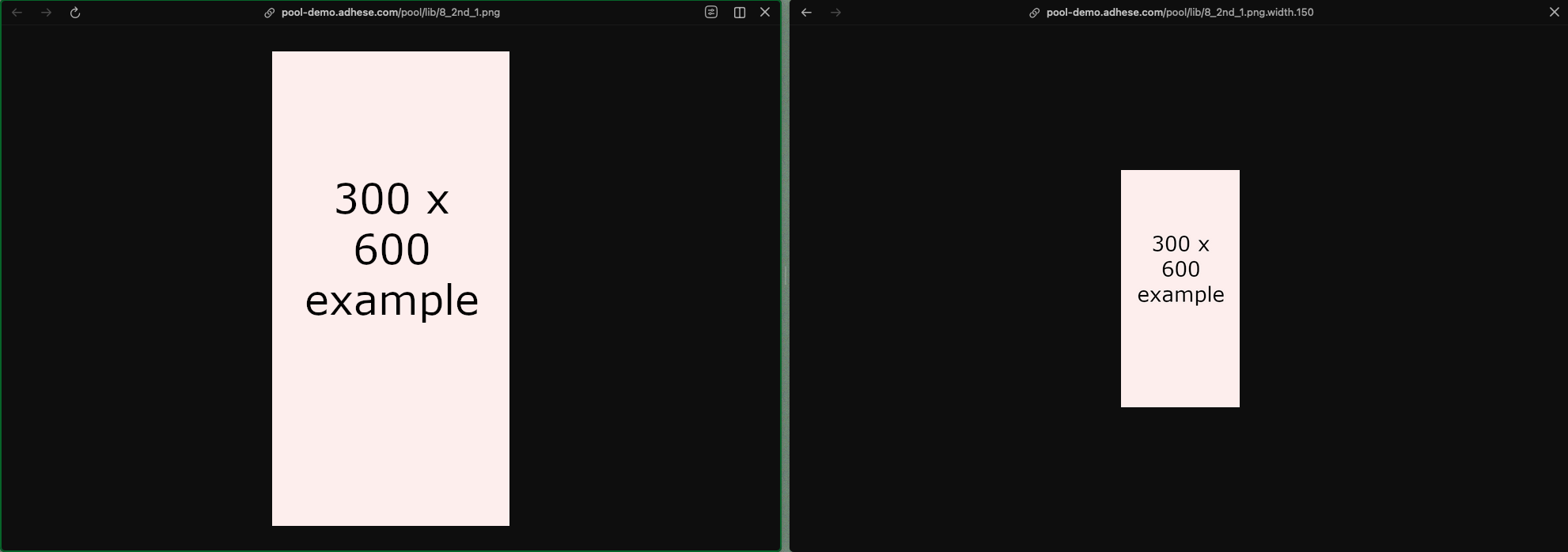
Video Content Cache
Adhese has a content cache system that facilitates video ad delivery in two ways:
- It allows prebid offers to be made on video ads by providing a URL containing the VAST markup of the ad that won the bid. Once a video ad is requested, it is retrieved via the provided link.
- This allows for fast and seamless delivery, as subsequent requests for the same ad can be delivered from the cache.
The content cache is a custom feature that requires setup. Please contact Support if you would like to make use of it.
Content Cache Setup
There are two main ways to make use of the content cache feature.
- Configure your Adhese Prebid server to use the feature by default.
- Explicitly request caching in a post request.
In both cases the value that must be added or enabled is:
"vastContentAsUrl": trueWhen caching is enabled, the VAST content will be available via a URL with a time-to-live of 3,5 hours, after which a new request must be made to the ad adserver.
IP override for server-side connections
What
By default, all ad requests to the Adhese ad server use the IP of the device that sends the request for all IP-related logic, such as geo-location targeting.
This behaviour makes it impossible to set up user-based location targeting in server-to-server setups, as the ad server would use the server's IP instead of the end user's IP.
To solve this, Adhese provides functionality that overrides the server's IP with the user's IP.
How
The user's IP can be added to the request via the X-Forwarded-For header. The ad server will pick up this header and override the default IP address from which the request is sent.
Please contact Support if you’d like to make use of this feature.
CPM Priority Sorting
Adhese determines share via priority. The end date of a booking also increases priority: the earlier the end date, the higher the priority and the larger the share. Two bookings with the same priority setting, but with different end dates will result in the booking with the earlier end date receiving a larger share.
The same share advantage for the booking end date applies when two bookings have different CPM values. Depending on your business case, this may be undesirable, as the booking with the earliest end date and the lowest CPM receives a greater share than a competing booking with a later end date and a higher CPM.
Adhese has an account configuration that can alter the Publish logic to prioritise bookings with a higher CPM instead of bookings with an earlier end date. In the event of two bookings with different end dates and CPM values, the booking with the higher CPM will receive a larger share.
This setting can be enabled for one priority level across the entire account. This means that the other priority levels will still be sorted by end date.
To enable CPM Priority Sorting, please contact Support.
Reference
Reserved Target Prefixes
All target codes which are part of the following list and all codes starting with x, y or z are reserved
| Reserved for the Adhese backend | |||
| Code | Reserved | Description | Example |
| co | yes | Country as alpha 2, based on IP | coBE |
| CO | yes | Country as alpha 3 | |
| rg | yes | Sub devision of a country, based on IP | rgBE11 |
| ci | yes | City postcode, based on IP | ci9000 |
| da | yes | Reserverd for newsletter implementations | da20140110 |
| il | yes | Adhese impression ID | |
| pr | yes | Reserved for rotation file 'priority' logic | |
| SL | yes | Position as a string | |
| A2 | yes | Adhese cookie prefix | |
| dm | yes | Booking groups (all-together etc) | |
| dt | yes | device type | |
| sl | yes | Position (or the combination of a location and template, slot is used as backend name) | sl_nbo_22_156_-LAYER |
| tl | yes | Binary consent | tlnone tlall |
| xt | yes | IAB consent string | |
| yd | yes | Device type (based on useragent) | Desktop, console, TV_Device, ... |
| ys | yes | Device OS (based on useragent) | ChromeOS, Linux, macOS,... |
| yb | yes | Browser (based on useragent) | Chrome, Edge, Firefox, ... |
| yp | yes | Device Maker(based on useragent) | Samsung, Philips, Lenovo, ... |
| Reserved for general use | |||
| Code | Reserved | Description | Example |
| br | yes | Pre-configured parameter for target group 'brands'. Often used to capture and target device data | brChrome;Chrome7;Mac |
| in | yes | Pre-configured parameter for target group 'interests'. Often used to capture page data |
| OpenRTB | |||
| Code | Reserved | Description | Example |
| xa | yes | (Gateway specific) Allows passing target information to Dale | xatl,1 |
| xb | yes | (Gateway specific) Bundle ID. For Apple iOS devices pass iTunes ID. For Android devices pass package name (e.g. com.foo.mygame). | iOS: iTunes ID Android: package name |
| xc | yes | (Gateway specific) Coordinates. Latitude;longitude: two floats separated by a semicolon, e.g. [-90..90];[-180..180]. | |
| xs | yes | (Gateway specific) SHA1-encoded device ID | |
| xn | yes | (Gateway specific) video min duration | |
| xx | yes | (Gateway specific) video max duration | |
| xk | yes | (Gateway specific) | xk123 |
| xd | yes | (Gateway specific) | |
| xu | yes | (Gateway specific) | |
| xi | yes | (Gateway specific) | |
| xv | yes | (Gateway specific) Unique visit ID | |
| x5 | yes | ||
| xd | yes | ||
| xe | yes | ||
| xf | yes | ||
| xg | yes | ||
| xh | yes | ||
| xl | yes | ||
| xm | yes | ||
| xo | yes | ||
| xp | yes | ||
| xr | yes | ||
| xs | yes | ||
| xt | yes | ||
| xv | yes | ||
| xy | yes | ||
| xz | yes | ||
| xj | yes | ||
| xq | yes |
Supported Currencies
Adhese supports multiple currencies for use in e.g. campaign budgets. The table below lists all currencies currently supported by Adhese.
| Currency Code | Currency |
| EUR | Euro |
| USD | United States Dollar |
| GBP | British Pound Sterling |
| CHF | Swiss Franc |
| JPY | Japanese Yen |
| AUD | Australian Dollar |
| CAD | Canadian Dollar |
| PLN |
Polish Złoty |
| DKK | Danish Krone |
| SGD | Singapore Dollar |
| SEK | Swedish Krona |
| NOK | Norwegian Krone |
| CZK | Czech Koruna |
OIDC Federation Setup Guide (SSO)
Setting Up Single Sign-On (SSO) with Adhese
This guide explains what's needed to connect your company's login system (your "Identity Provider" or IdP — e.g. Okta, Azure AD, OneLogin, Keycloak) to the Adhese platform, so your users can log in with their existing company account instead of a separate Adhese password.
We've tried to keep this guide free of unnecessary jargon. Where a technical term is unavoidable, we explain it in plain language the first time it appears.
It is probably best to direct your organizations' IdP responsible to this document, because they will be best suited to go through its steps.
1. Overview — how this works
Think of it like using "Sign in with Google" on another website. Instead of Adhese storing a password for your users, your users log in through your own company system. Once they're verified there, your system tells Adhese "this person is who they say they are, and here's some basic info about them."
- Your IdP = your company's login system. It does the actual authentication (checking passwords, MFA, etc.).
- Adhese = the application your users want to reach. We just need to trust your IdP's confirmation.
The technology that makes this handshake work is called OIDC (OpenID Connect) — a standard way for two systems to exchange "this user is verified, here's who they are" information.
2. What we need from you
To connect to your IdP, we need a small set of technical addresses and credentials. Your IT/identity team will have these, or can generate them when creating a new application/integration for Adhese in your IdP.
| Item | In plain terms |
|---|---|
| Discovery URL | A single web address that automatically tells us all the other addresses below. If your IdP provides this (most modern ones do), you usually don't need to give us anything else in this table. |
| Authorization endpoint | The web address your users get sent to, to log in. (Only needed if there's no discovery URL.) |
| Token endpoint | The address we use, behind the scenes, to confirm the login was real. (Only needed if there's no discovery URL.) |
| UserInfo endpoint | An address we can check for extra user details, if needed. (Only needed if there's no discovery URL.) |
| JWKS URI | The address holding your IdP's "signature keys," which we use to confirm nothing was tampered with. (Only needed if there's no discovery URL.) |
| Client ID | An ID number/string your IdP assigns to identify "the Adhese application" specifically. |
| Client Secret | A password-like secret that goes with the Client ID, so we can prove to your IdP that we really are Adhese. Keep this confidential. |
| Client authentication method | How we should send the Client ID/Secret when talking to your IdP: client_secret_post or client_secret_basic. |
| Supported scopes | Confirmation that your IdP can send us the specific pieces of information we need (see Section 4). |
Simplest path: if your IdP has a discovery URL, you really only need to give us: the discovery URL, the Client ID, the Client Secret, and the client authentication method.
3. What we give you
To set things up on your side, we'll send you:
| Item | In plain terms |
|---|---|
| Redirect URI (Callback URL) | The exact web address your IdP must be told to send users back to after login. You'll paste this into your IdP's app configuration, usually a field called "Redirect URI," "Callback URL," or "Allowed callback." |
| Required scopes | Which permissions/data your IdP setup needs to allow (see Section 4). |
| Required claims | Which specific pieces of user information must be included (see Section 4). |
4. Scopes and claims, explained simply
Think of it this way:
- A scope is a permission you switch on in your IdP's app configuration. It's like ticking a box that says "yes, allow sharing this category of information."
- A claim is the actual piece of information that gets sent to us once that permission is switched on, like a labeled field with a value.
For example, ticking the email scope is what allows the email claim (the user's actual email address) to be included.
4.1 Scopes and claims we require
| Scope (the permission) | Claim it unlocks | What that claim contains |
|---|---|---|
openid |
sub |
A unique ID number for the user. Always required for any OIDC login — this is the standard itself. |
email |
email |
The user's email address. |
email |
email_verified |
A true/false flag confirming your IdP has actually verified that email address (e.g. via a confirmation link). This must come through as true. |
⚠️ Important: Some IdPs don't send
email_verifiedautomatically, even when thetruefor your users. If it's missing, or set tofalse, the login will be rejected.
4.2 Optional: showing real names in Adhese
Enabling the profile scope is not required, but lets us show your users' actual names in the Adhese interface instead of just an ID or email address.
| Scope | Claim | What it contains |
|---|---|---|
profile |
name |
Full name |
profile |
given_name |
First name |
profile |
family_name |
Last name |
profile |
preferred_username |
Username |
5. Client authentication method (client_auth_mode)
When Adhese talks to your IdP to confirm a login, we have to prove we are who we say we are, using the Client ID and Client Secret from Section 2. There are two common ways to send that proof, and your IdP will only accept one of them — so we need to know which.
| Mode | In plain terms |
|---|---|
client_secret_basic |
The Client ID and Secret are sent using a built-in web standard called "HTTP Basic Authentication" — essentially packed into a request header, not visible in the main message body. |
client_secret_post |
The Client ID and Secret are sent as regular fields inside the request itself (like filling in a form), rather than in a header. |
Neither option is more or less secure in practice — it's purely about which format your IdP expects. Most modern IdPs support both, and their app registration screen will usually have a dropdown or setting labeled something like "Token endpoint authentication method." Please check this setting and let us know which value it's set to, so we configure our side to match. If we don't match your IdP's expectation, the login exchange will fail even if everything else is correct.
6. Role mapping
How it works
You (or your IdP admin) pick a claim name — for example adhese_role — and tell us that name. From then on, whatever value(s) come through in that claim will decide what roles the user gets in Adhese, updated automatically every time they log in.
The value can be:
- One role, as plain text, or
- Several roles, as a list.
One role:
{
  "adhese_role": "admin"
}
Multiple roles:
{
  "adhese_role": ["viewer", "creative_approver"]
}
The important part: the claim name you chose becomes a normal, top-level field in the token, with the role name(s) as its value. Nothing more nested or wrapped around it.
Extra scope
If your idp expects us to send a specific scope before it embeds the custom claim in the token, you need to let us know the scope we have to request.
Available roles — Classic UI
| Role | Description |
|---|---|
classic_admin |
Full admin access to the Classic UI |
classic_read_only |
Read-only access to the Classic UI |
Available roles — New UI
| Role | Description |
|---|---|
admin |
Full administrator |
creative_approver |
Can approve creatives |
creative_master |
Full creative management |
managed_ad_master |
Managed advertising management |
self_service_ad_master |
Self-service advertising management |
viewer |
Read-only access |
access_all_advertisers_debtors_brands |
Access across all advertisers, debtors, and brands |
Examples
{
  "bidfood_role": "adheseAdmin"
}
If a user has more than one role:
{
  "bidfood_role": ["adheseAdmin", "adheseOtherRole"]
}
💡 Tip: Some IdPs also require you to separately enable a scope before a custom claim will actually be included in the token — even if the claim itself looks correctly configured. For example, some setups need a
params(or similarly named) scope explicitly requested before the custom role claim shows up at all. If your custom role claim isn't arriving, check whether an additional scope needs to be requested, and let us know its exact name so we can add it to our request.
7. Setup checklist
Your side (IdP)
- Register a new OIDC application/client for Adhese
- Add the redirect URI we provide as an allowed callback
- Enable the
openidandemailscopes - Confirm the
email_verifiedclaim is included and will readtrue| if not, let us know - Confirm which client authentication method your IdP uses:
client_secret_postorclient_secret_basic - (Optional) Enable the
profilescope for real names - (Optional) Set up a custom claim for role mapping, making sure it outputs a plain value (see Section 6's common mistake)
- (Optional) Confirm whether an extra scope is needed to expose that custom claim
- Send us: Client ID, Client Secret, discovery URL (or individual endpoints), client authentication method, wether or not
email_verifiedclaim will be set correctly
Our side (Adhese)
- Provide the redirect URI
- Configure the connection with your provided endpoints and credentials
- Configure the client authentication method to match yours
- Configure scope requests (
openid,email, optionallyprofile) - Configure validation so
email_verifiedmust betrue - (Optional) Configure role mapping based on the agreed claim
- Perform a test login together
8. Testing
Once both sides are set up, we'll do a test login together:
- Start a login on the Adhese platform
- Confirm the redirect to your IdP works
- Log in with a test user
- Confirm the return trip back to Adhese succeeds
- Confirm the user's email and name display correctly
- (If applicable) Confirm the correct role(s) were applied
If the test login fails
The most common causes, in order of likelihood:
- The
emailscope isn't actually enabled on the IdP side - The
email_verifiedclaim isn't included in the token at all - The user's email isn't marked verified at the IdP (
email_verified: false) - The client authentication method (Section 5) doesn't match what we configured on our side
- A custom role claim contains the IdP's raw parameter configuration instead of a plain value (see the common mistake in Section 6)